My Calander
Overview
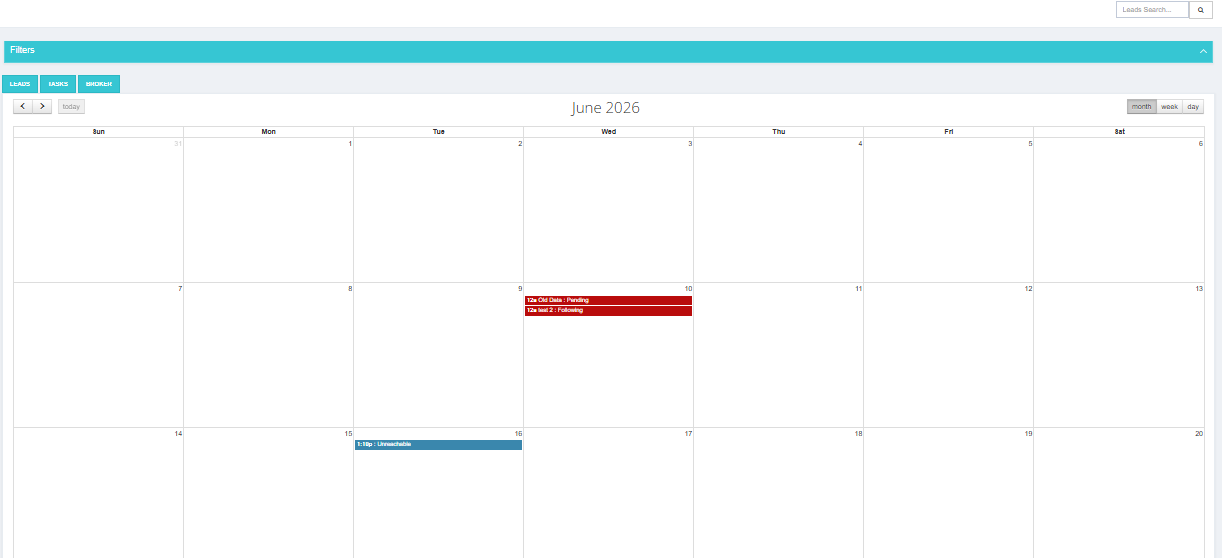
My Calendar gives you a visual timeline of your scheduled lead actions — upcoming tasks, follow-ups, and any delays — organized by date.
Calendar Tabs
The calendar has three tabs:
| Tab | Description |
|---|---|
| Leads | Shows scheduled next actions for your assigned leads. |
| Tasks | Shows any tasks assigned to you across the system. |
| Broker | Shows broker-related activities. This tab only appears if you have activity in the Brokerage Module — if you have no broker activity, it will not show up. |
What You Can See
- Upcoming actions — lead follow-ups and tasks scheduled for future dates.
- Past actions — what was scheduled previously, including any overdue items.
- Delayed leads — leads where the next action date has passed without being completed.
How to Use It
- Go to Sales Module → My Calendar.
- Browse by month, week, or day to see what's scheduled.
- Click on any item to go directly to that lead.
Key Things to Know
- The calendar is based on the Next Action Date set on each lead.
- If a lead has no next action date set, it will not appear in the calendar.
- Use the calendar as a daily planning tool to prioritize which leads to contact.