Recall
Overview
Use Recall when an existing lead in the system calls again — for example, about a different project or to follow up on something new.
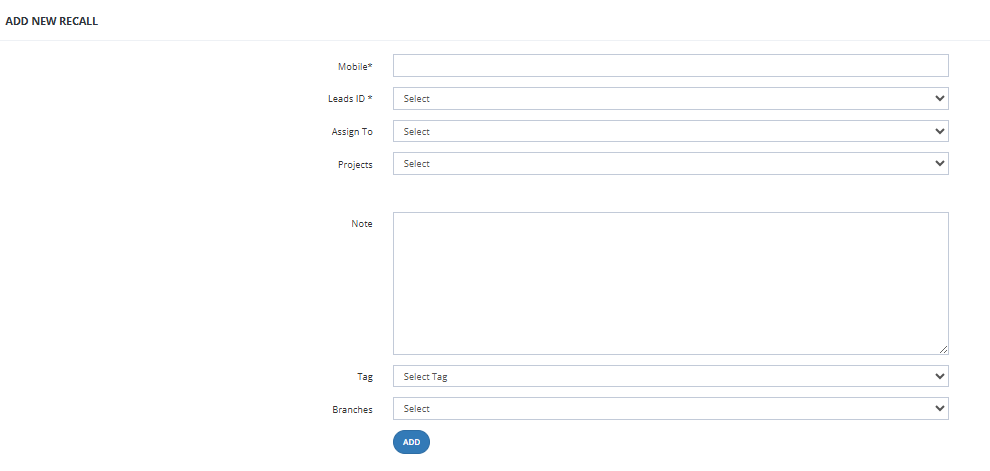
How to Handle a Recall
- Go to Call Center → Recall.
- Enter the caller's mobile number in the search field.
- The system searches for matching leads and displays them.
- Select the correct lead from the results.
- Update the following as needed:
- Lead ID (Marketing Info) — change if the caller is now interested in a different campaign or source.
- Project — select the project the caller is currently interested in.
- Assign — reassign to a different salesman if needed.
- Submit — the lead's information is updated and the assigned salesman can follow up.
Key Things to Know
- The mobile number search pulls up all existing leads matching that number.
- Updating the Lead ID changes the marketing source attached to the lead.
- The salesman assigned after a recall will see the updated lead in their My Leads.
- Use Recall instead of Add Lead to avoid creating duplicate entries for the same contact.