Brokers Emails
Overview
The Send Mail tab allows you to send bulk emails to broker companies.
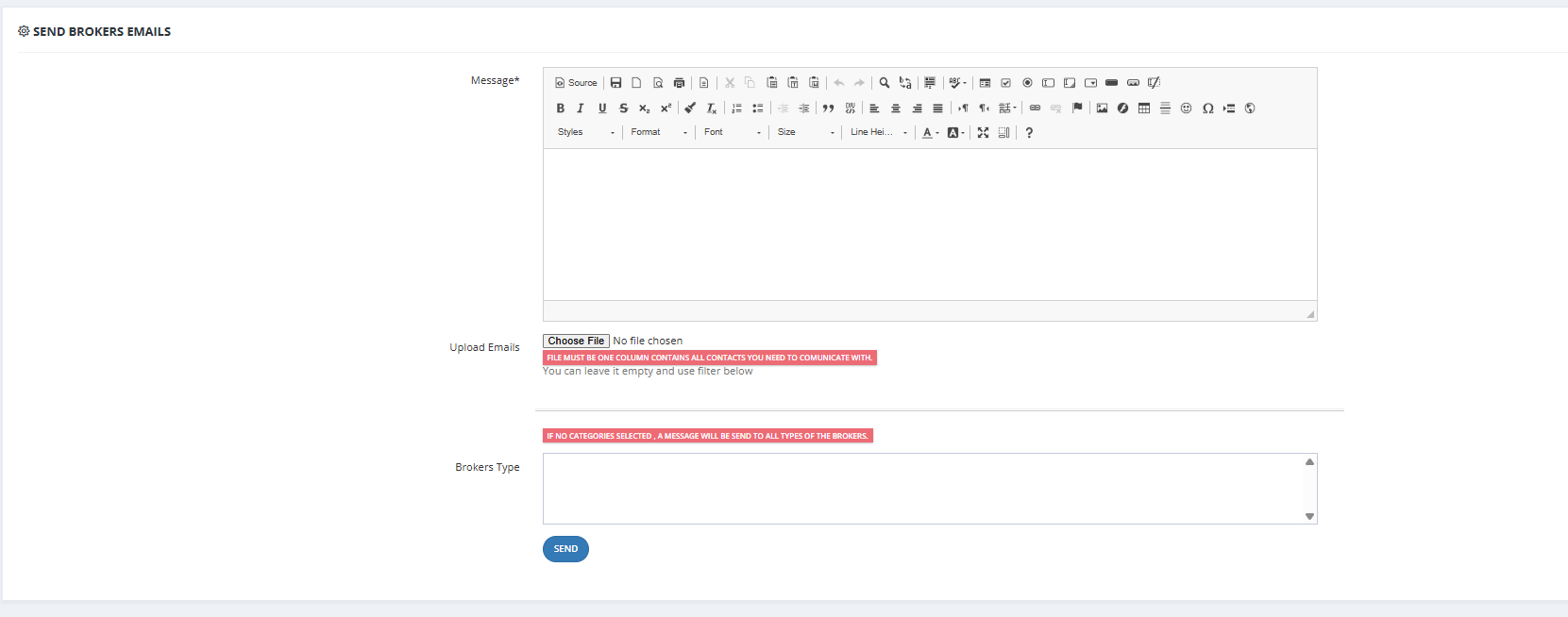
How to Send a Broker Email
- Go to Brokerage Module → Send Mail.
- Fill in the Message field.
- Choose recipients:
- Upload Emails — upload a file with one email per row.
- OR use the Broker Type filter to target specific broker types.
- If no type is selected, the email goes to all broker types.
- Send.
Key Things to Know
- If no category is selected, the message is sent to all brokers.
- SMTP must be configured in General Settings for emails to work.