Creating a New EOI
Overview
Use Add New EOI to register a client's expression of interest in a project before reserving an actual unit.
Enabling EOI on a Project
Before a project can receive EOIs, EOI must be enabled on that specific project.
- Go to Edit Project.
- Find the EOI toggle at the top right.
- Turn it On.
⚠️ If the toggle is Off, the EOI fields below do not appear and no EOI actions can be performed on that project.
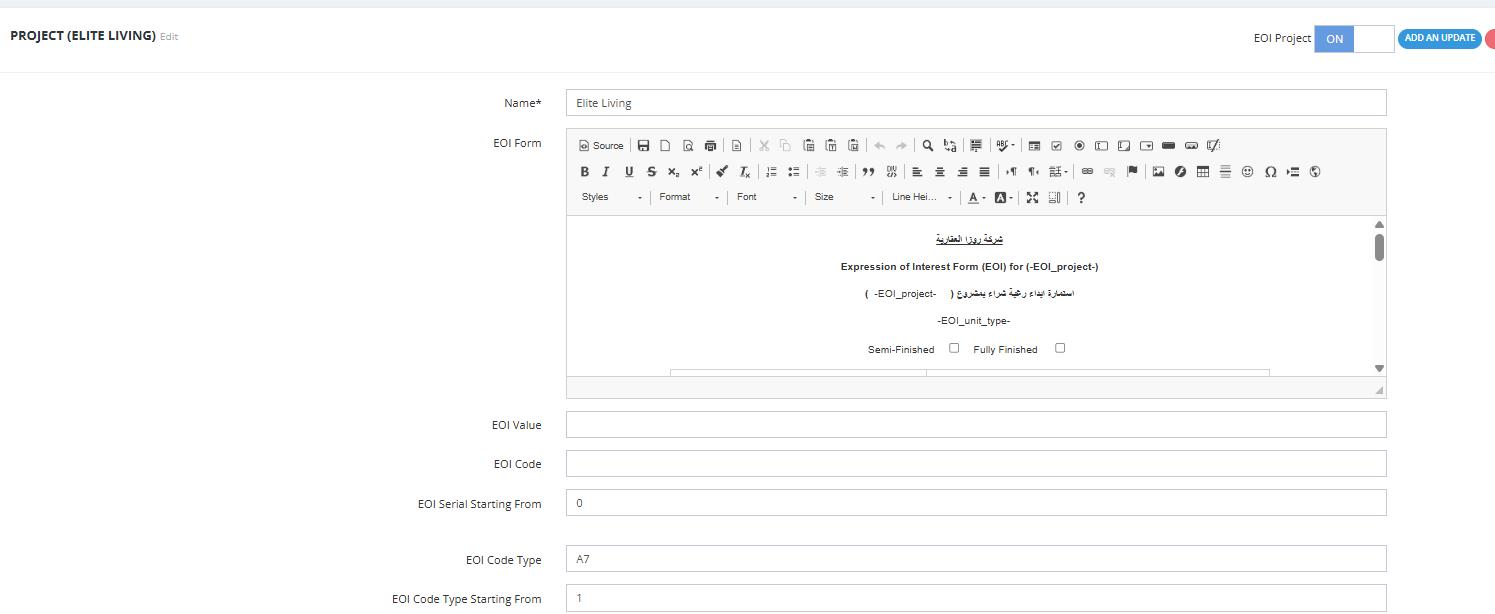
Once turned on, the following fields appear for configuration:
| Setting | Description |
|---|---|
| EOI Form | The document template used for the EOI form — set up the same way as any other contract template in the system. |
| EOI Value | A default suggested value for the EOI amount. |
| EOI Code | An identifying code format for EOIs on this project. |
| EOI Serial Starting From | The number new EOI serials will start counting from, for this project. |
| EOI Code Type | The code type used for EOI numbering on this project. |
| EOI Code Type Starting From | The number the code type serial will start counting from, for this project. |
⚠️ These settings directly control the Serial and Code Type Serial values shown in EOI Management, which determine client priority order — see the Overview page.
How to Add a New EOI
- Go to Client Profile → Add EOI.
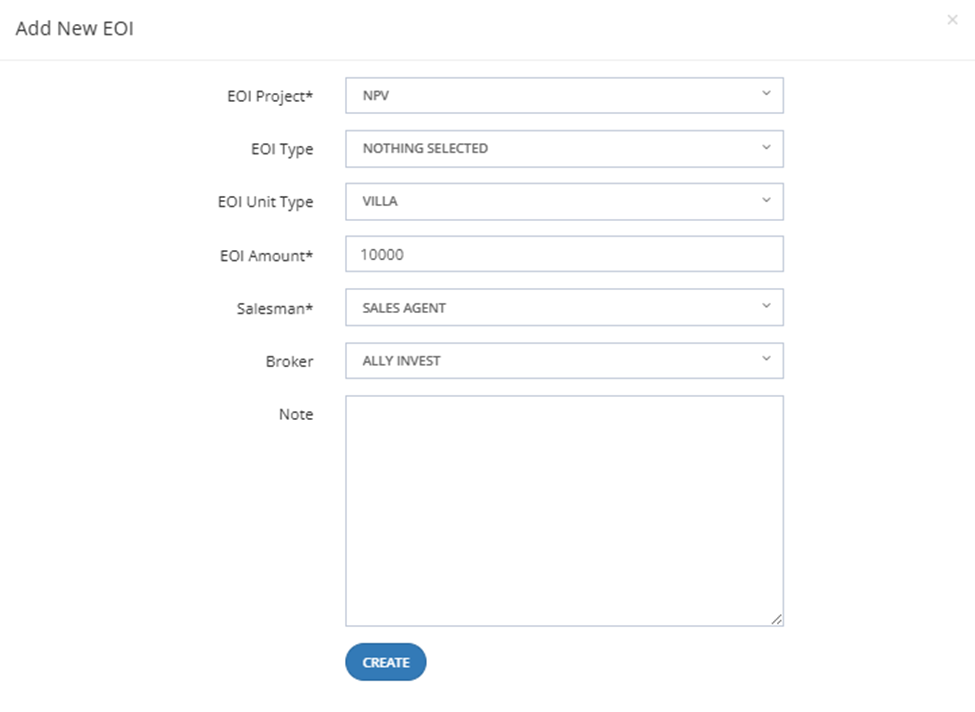
- Fill in the fields below.
- Click Create.

Fields
| Field | Required | Description |
|---|---|---|
| EOI Project | ✅ | The project this EOI is linked to. Only projects with EOI enabled (see above) appear in this list. |
| EOI Type | Optional | Classification of the EOI, if used. |
| EOI Unit Type | Optional | The type of unit the client is interested in (e.g., Villa, Apartment, Twin). |
| EOI Amount | ✅ | The amount registered for this EOI. |
| Salesman | ✅ | The salesman responsible for this client. |
| Broker | Optional | The broker associated with this client, if any. |
| Note | Optional | Any additional notes. |
💡 Example: Project "NPV", Unit Type "Villa", EOI Amount "10000", Salesman "Sales Agent", Broker "Ally Invest".
After Creation
Once created, the EOI status is Pending and it appears in EOI Management, ready for the next step — Collect.