Delivery, Clients & Units Updates
Overview
These three sections let the team log internal status updates, each scoped differently:
| Section | Purpose |
|---|---|
| Delivery Updates | Log which units have been delivered or reached a construction milestone. |
| Clients Updates | Record any change to a client's personal information or client-related data. |
| Units Updates | Log any change made to a unit's specifications. |
Delivery Updates
Used to track unit handovers to clients — logging which units have been delivered, which are pending, and what's scheduled next.
💡 Example: Unit A has been handed over to the client, Unit B is scheduled for handover next month — the team logs this to keep a clear record of which units have been delivered and which are still pending.

Timeline View
Each entry shows:
- Posted by / Posted at
- Project, Building, Units affected
- Any attached image
- Delete button
Use Add an Update (top right) to create a new entry.
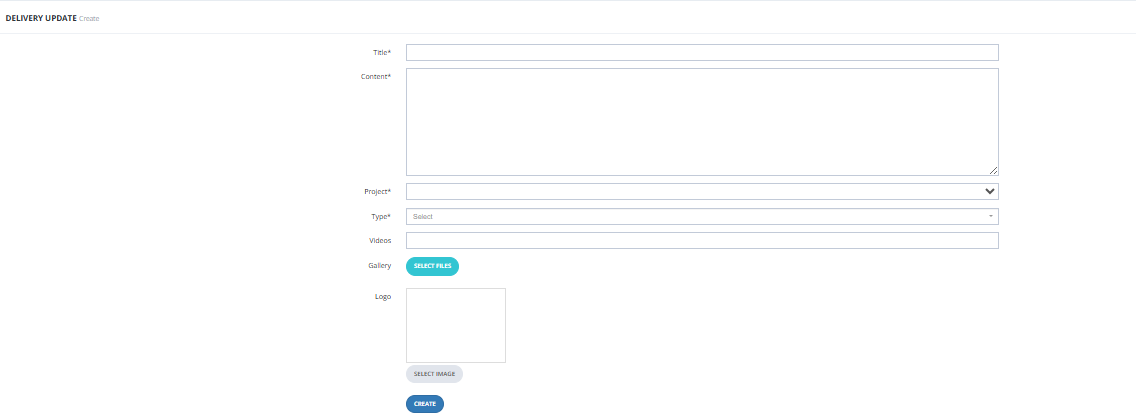
Create Form — Fields
| Field | Required | Description |
|---|---|---|
| Title | ✅ | Title of the update. |
| Content | ✅ | The update details. |
| Project | ✅ | The project this update relates to. |
| Type | ✅ | The delivery update type (configured in Customer Service Settings → Delivery Updates Types). |
| Videos | Optional | Attach a video link. |
| Gallery | Optional | Attach images. |
| Logo | Optional | Attach a logo/image. |
Filters
| Filter | Description |
|---|---|
| Creation Date | Filter by date (From / To). |
| Project | Filter by project. |
| Building | Filter by building. |
| Units | Filter by unit. |
| Types | Filter by update type. |
Clients Updates
Used to record any change or update related to a client's information — for example, a change of address, updated contact details, or any other client-specific data that needs to be logged and communicated.

Timeline View
Each entry shows the same details as Delivery Updates, plus a View Files button to access any attached files.
Use Add an Update to create a new entry.
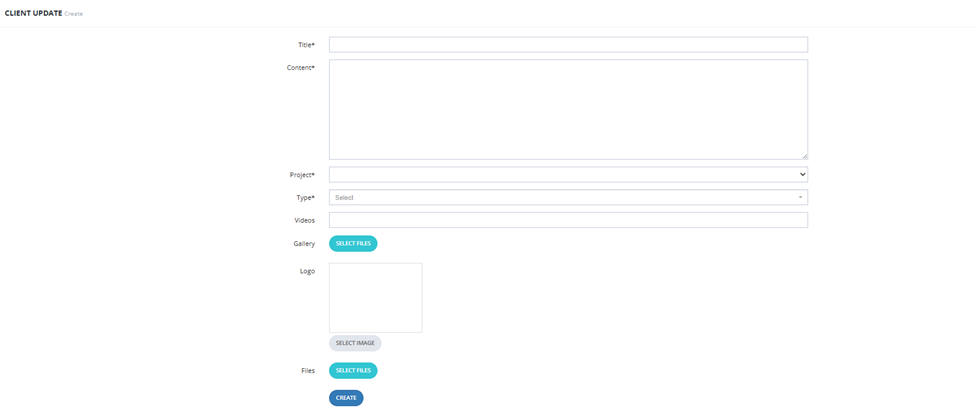
Create Form — Fields
| Field | Required | Description |
|---|---|---|
| Title | ✅ | Title of the update. |
| Content | ✅ | The update details. |
| Project | ✅ | The project this client is associated with. |
| Type | ✅ | The client update type (configured in Customer Service Settings → Client Updates Types). |
| Videos | Optional | Attach a video link. |
| Gallery | Optional | Attach images. |
| Logo | Optional | Attach a logo/image. |
| Files | Optional | Attach supporting files. |
Filters
| Filter | Description |
|---|---|
| Creation Date | Filter by date (From / To). |
| Project | Filter by project. |
| Building | Filter by building. |
| Types | Filter by update type. |
Units Updates
Used to log any change made to a unit's specifications — for example, if the unit's space was modified, or if two units were merged into one. These are unit-specific and tied directly to the unit's full hierarchy (Project → Building → Building Segment → Unit).
💡 Examples: Unit space was changed, two units were merged, a structural modification was made.

Timeline View
Each entry shows the full unit path (e.g., Project (Elite Living) > Building (B1) > Building Segment (B01-G-105) > Unit (B01-G-105)), plus the content, type, Delete, and View Files.
Use Add an Update to create a new entry.
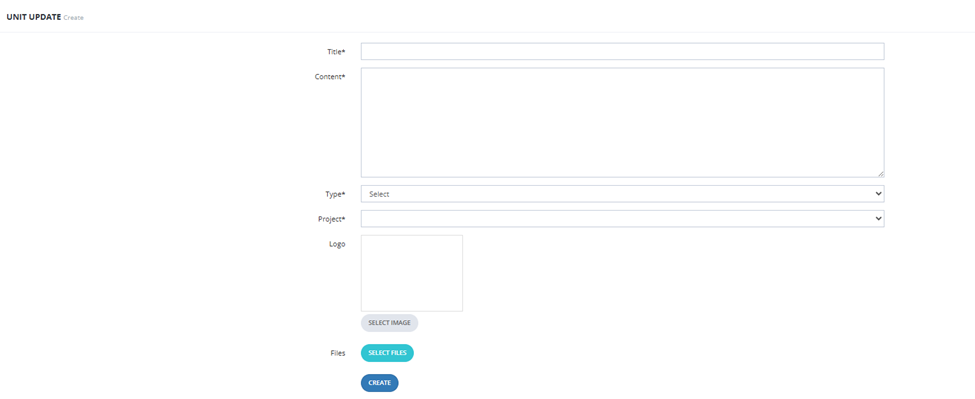
Create Form — Fields
| Field | Required | Description |
|---|---|---|
| Title | ✅ | Title of the update. |
| Content | ✅ | The update details. |
| Type | ✅ | The unit update type (configured in Customer Service Settings → Unit Updates Types). |
| Project | ✅ | The project this unit belongs to. |
| Logo | Optional | Attach a logo/image. |
| Files | Optional | Attach supporting files. |
Filters
| Filter | Description |
|---|---|
| Unit Name | Filter by unit. |
| Client | Filter by client. |
| Created At | Filter by creation date. |