Email Logs
Overview
Email Logs records every email sent through the CRM — showing the sender, recipient, message content, and date. Accessible from Roles & Users → Email Logs.
What You See
| Column | Description |
|---|---|
| ID | Sequential log ID. |
| Sender | The email address the message was sent from (e.g., system@dotshub.com). |
| Receiver | The recipient's email address. |
| Message | The full email content — including subject, body, and any login credentials or links sent. |
| Date | Date and time the email was sent. |
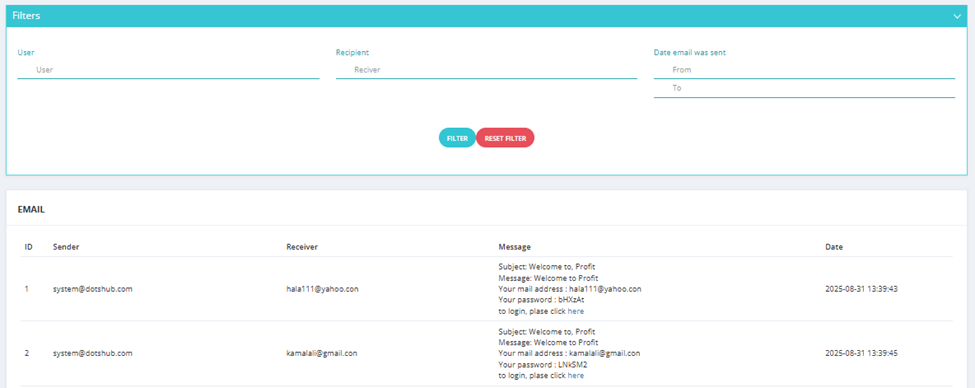
Available Filters
| Filter | Description |
|---|---|
| User | Filter by the CRM user who triggered the email. |
| Recipient | Filter by the recipient's email address. |
| Date Email Was Sent | Filter by date range (From / To). |
💡 Use Email Logs to confirm that system emails (e.g., welcome emails with credentials, notifications) were sent correctly, or to track email communication history.