
Call Center
Overview
The Call Center module is used to handle incoming calls and log them into the CRM. When someone calls, the call center agent can categorize the call into one of three types and take the appropriate action.
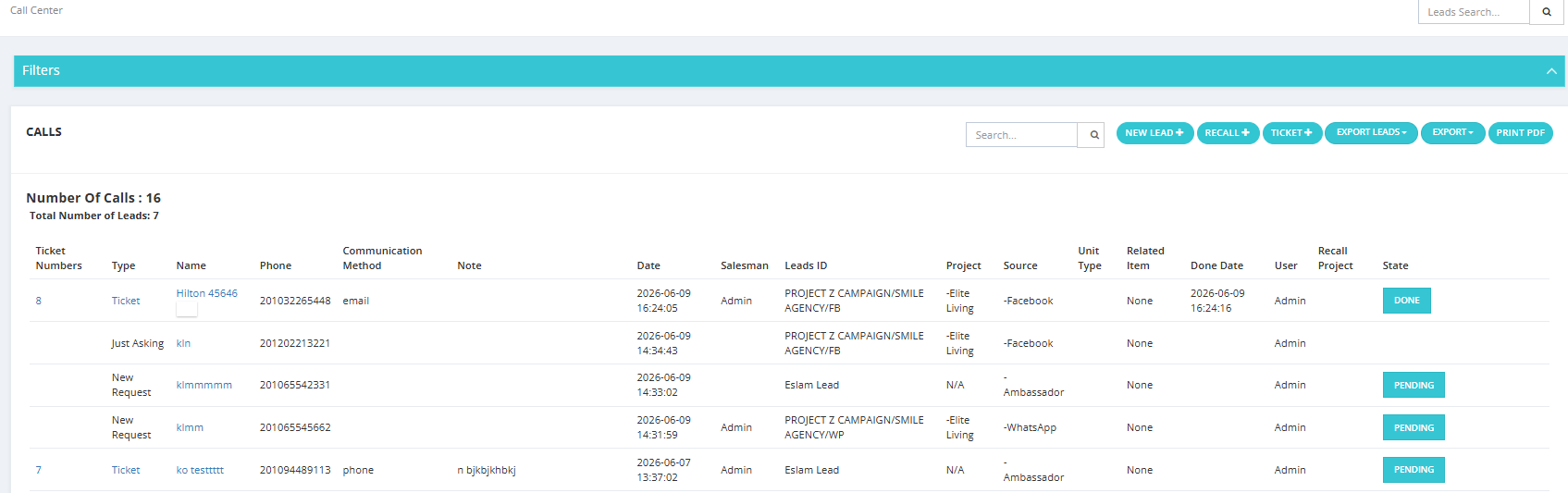
The Three Call Types
| Option | When to Use |
|---|---|
| Add Lead | The caller is a new potential client — create a new lead. |
| Recall | The caller is an existing lead calling again, possibly about a different project. |
| Ticket | The caller is an existing client with a request or complaint — open a support ticket. |
Available Actions
- Export Leads — export only the leads logged by the call center.
- Export All — export everything (leads, tickets, and just asking entries).
- Print PDF — print a PDF of the current view.
Available Filters
| Filter | Description |
|---|---|
| Date | Filter by date range (From / To). |
| Name | Search by caller name. |
| Tag | Filter by tag applied to the entry. |
| Unit | Filter by a specific unit. |
| Type | Filter by entry type (Lead, Ticket, Just Asking). |
| Ticket Number | Search by a specific ticket number. |
| Project | Filter by project name. |
| Salesman | Filter by assigned salesman. |
| Leads ID | Filter by marketing Lead ID. |
| Unit Type | Filter by unit type. |
| Branches | Filter by company branch. |