
Penalties & Client Benefits
Penalties
Overview
The Penalties tab shows all late payment penalties charged to clients — either automatically (via Finance Settings) or manually when marking a payment difference as a penalty during collection.

What You See
| Column | Description |
|---|---|
| Client | Client name. |
| Unit | Unit code. |
| Salesman | Assigned salesman. |
| Amount | Penalty amount. |
| Date | Date the penalty was recorded. |
| Note | Any notes related to the penalty. |
Total is shown at the top of the page.
Available Actions
- Export — Export the penalties list.
- Select Sorting Method — Sort the list.
Client Benefits
Overview
The Client Benefits tab shows all discounts or credits that have been applied to clients' payment plans — for example when a client pays less than the installment amount and the difference is treated as a benefit rather than a penalty.
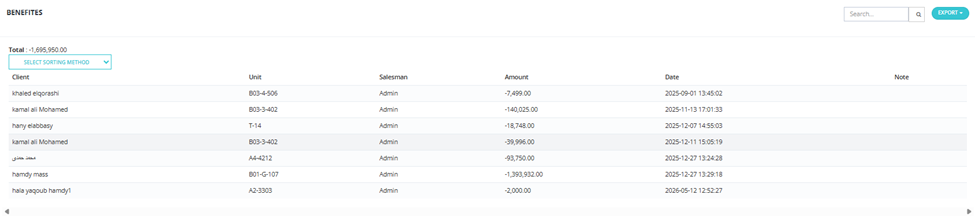
What You See
| Column | Description |
|---|---|
| Client | Client name. |
| Unit | Unit code. |
| Salesman | Assigned salesman. |
| Amount | Benefit amount (shown as negative since it reduces what's owed). |
| Date | Date the benefit was recorded. |
| Note | Any notes. |
Total is shown at the top (negative value = total credits given).
Available Actions
- Export — Export the benefits list.
- Select Sorting Method — Sort the list.