
Manage Discount
Overview
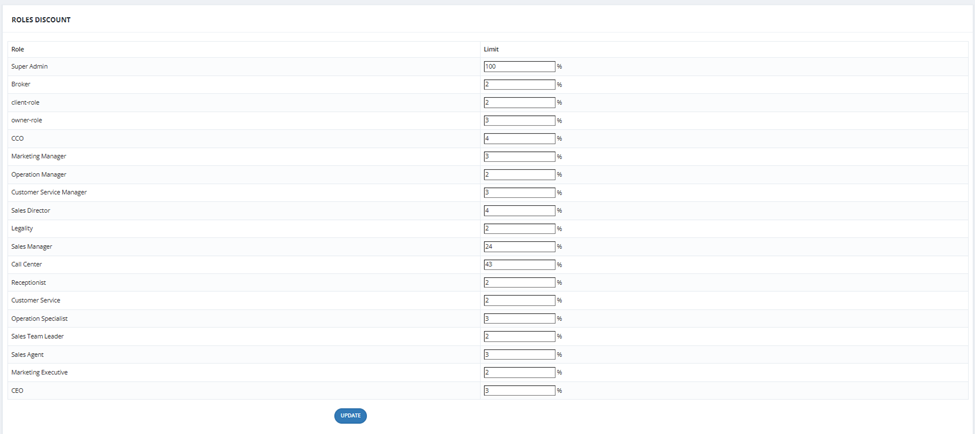
The Manage Discount tab lets you set the maximum discount percentage that each user role can give when selling a unit. This prevents salesmen from offering discounts beyond their authority.
How It Works
Each role in the system has a Limit % field. The value entered is the maximum discount percentage that role can apply when making a Hold.
| Role | Limit |
|---|---|
| Super Admin | 100% (no restriction) |
| Sales Agent | 3% |
| Sales Manager | 24% |
| Sales Director | 4% |
| CCO | 4% |
| Call Center | 43% |
| ... | ... |
💡 These limits are enforced during the Hold step — when the salesman enters a discount, the system checks it against their role's limit.
How to Update
- Go to Financial Module → Manage Discount.
- Edit the Limit % for each role.
- Click Update to save.