
Locations Setup
Overview
Locations is where you define the location hierarchy used across the Broker CRM — when adding a resale unit or project, the Location field draws from this list. Locations are organized in a parent-child tree (e.g., Egypt → New Cairo → 1st Settlement → Banafseg).
How to Access
Go to Setup → Locations.
The Locations List
| Column | Description |
|---|---|
| Code | An optional numeric code for the location. |
| Name | The location name. |
| Parent | The parent location this entry belongs to. |
| Actions | Edit or Delete. |
Available actions: Search, Add New +.
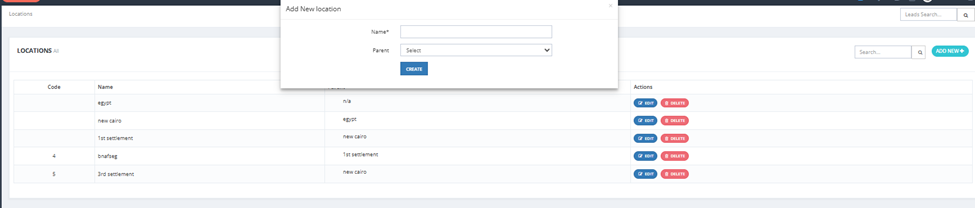
Adding a Location
Click Add New + and fill in:
| Field | Required | Description |
|---|---|---|
| Name | ✅ | Location name (e.g., New Cairo, 1st Settlement, Banafseg). |
| Parent | Optional | Select the parent location this entry sits under in the hierarchy. Leave empty for top-level locations. |
Click Create to save.
💡 Build the hierarchy from top to bottom. Example: First create "Egypt", then create "New Cairo" with Parent = Egypt, then create "1st Settlement" with Parent = New Cairo, and so on.
⚠️ Locations used in existing resale units or projects cannot be deleted — remove the association first before deleting the location.