
SMS Campaign
Overview
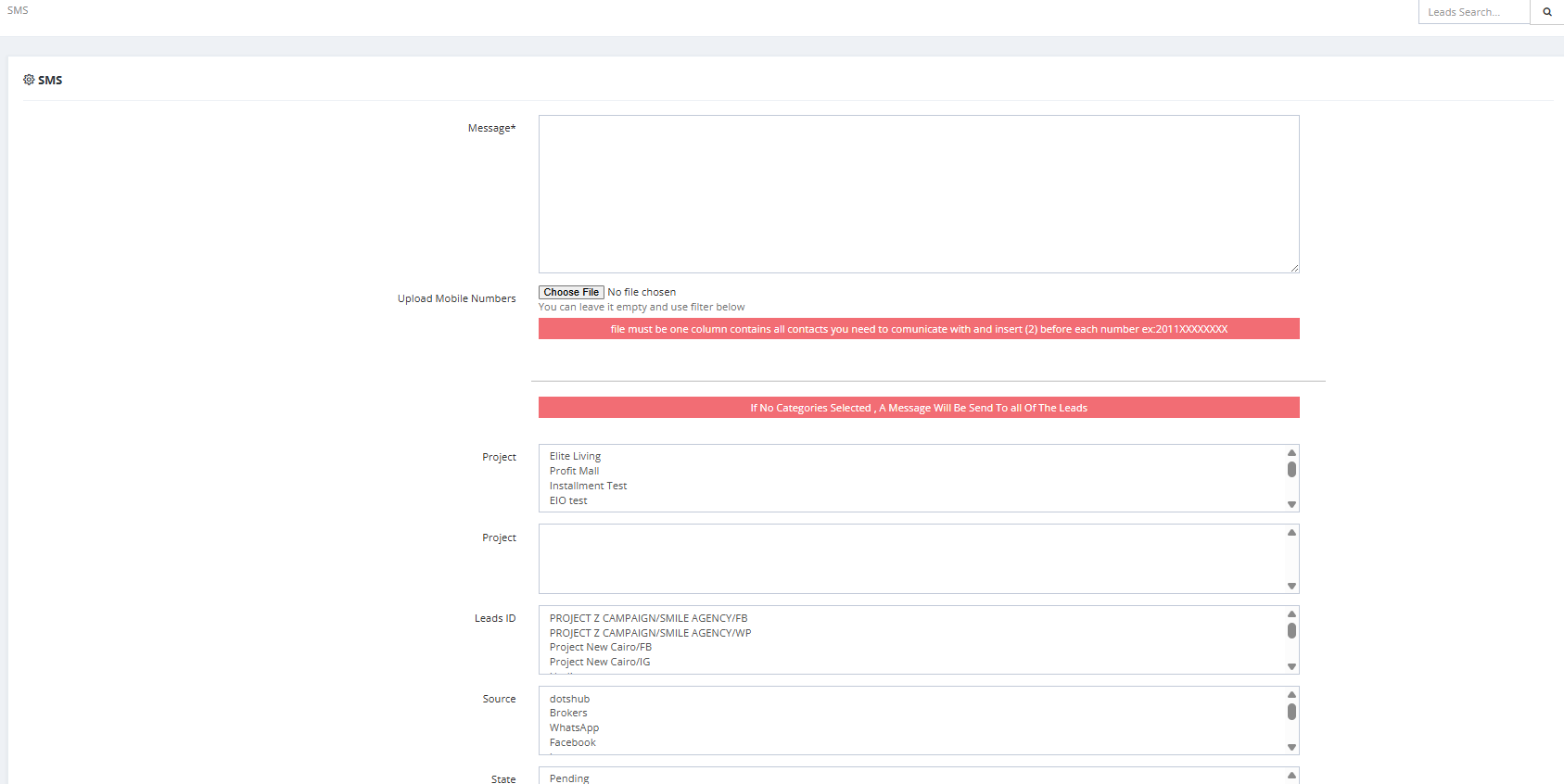
The SMS Campaign feature allows you to send bulk SMS messages to your leads. You can target all leads or filter by specific criteria.
Before You Start
SMS must be configured first in General Settings:
| Setting | Description |
|---|---|
| SMS Provider | Your SMS provider name. |
| SMS Break Line | Ask your provider about this setting. |
| SMS Sender Name | The name that appears as the sender. |
| SMS Unifonic appSid | Your Unifonic App ID (if using Unifonic). |
How to Send an SMS Campaign
- Go to Marketing → SMS Campaign.
- Fill in the Message field — write your SMS content.
- Choose your recipients:
- Upload Mobile Numbers — upload a file with one number per row, with country code (e.g.,
2011XXXXXXXXfor Egypt). - OR use the filters below to select leads automatically.
- Upload Mobile Numbers — upload a file with one number per row, with country code (e.g.,
- If no filter is selected, the SMS will be sent to all leads.
- Send.
Recipient Filters
💡 The filter options shown here correspond to fields collected on the lead profile. For example, filtering by Gender will only work if the Gender field was filled in when the lead was created. Make sure the relevant fields are captured during lead creation or upload to get accurate targeting.
💡 Custom Fields: If you have created custom fields via Setup → Fields Setup and set them to appear on the System Form (e.g., a field called "Counter" or "Preference"), these fields will also appear as filter options here. You can target leads based on a specific value in that custom field — for example, send an SMS only to leads where "Counter = 3".
| Filter | Description |
|---|---|
| Project | Filter leads by project. |
| Leads ID | Filter by specific Lead ID. |
| Source | Filter by lead source. |
| State | Filter by current lead state. |
| Countries | Filter by country. |
| Rank | Filter by lead rank/segment. |
| Campaign | Filter by campaign. |
| Gender | Filter by gender. |
| Purpose | Filter by lead purpose. |
| Salesmen | Filter by assigned salesman. |
Key Things to Know
- The mobile number file must have one column only with numbers including country code (e.g.,
2011XXXXXXXX). - If no category/filter is selected, the SMS goes to all leads in the system.
- Make sure SMS settings are configured in General Settings before sending.