
Broker Settings
Broker Settings
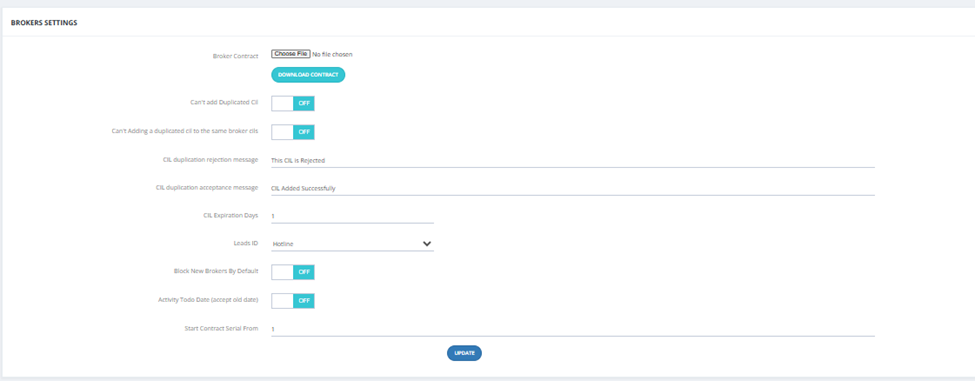
Access via Settings → Broker Settings:
| Setting | Description |
|---|---|
| Broker Contract | Upload the default contract file template. |
| Can't Add Duplicated CIL | When ON, prevents duplicate CILs from being added. |
| Can't Add Duplicated CIL to the Same Broker CILs | When ON, prevents the same broker from submitting a duplicate CIL. |
| CIL Duplication Rejection Message | Message shown when a CIL is rejected as duplicate (e.g., "This CIL is Rejected"). |
| CIL Duplication Acceptance Message | Message shown when a CIL is accepted (e.g., "CIL Added Successfully"). |
| CIL Expiration Days | Number of days before a CIL expires. |
| Leads ID | Default Lead ID assigned to broker leads. |
| Block New Brokers By Default | When ON, all new brokers go to Pending/Blocked tab automatically. |
| Activity Todo Date (accept old date) | When ON, allows setting past dates for activity todo dates. |
| Start Contract Serial From | The starting number for contract serial numbering. |