
Units Action Filter
Overview
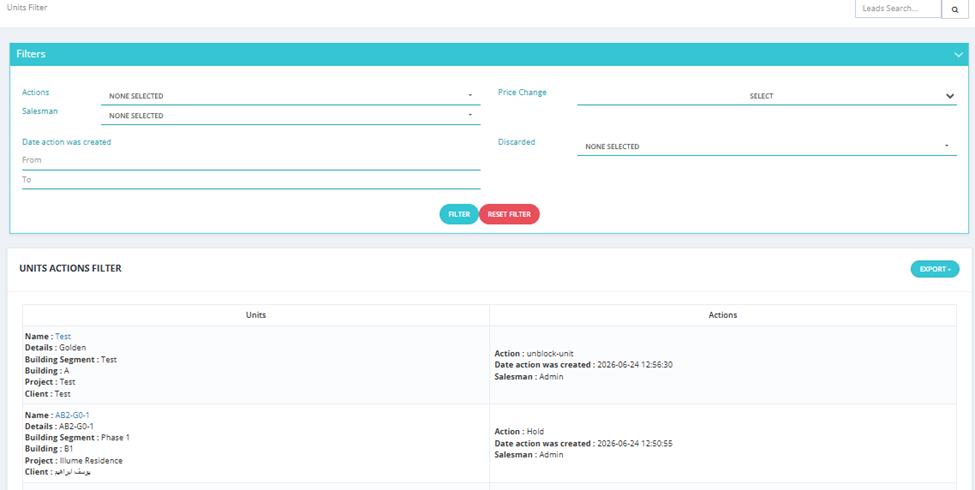
The Units Action Filter lets you monitor and filter all actions taken on units across the sales pipeline — from View to Client through to Delivery.
What You Can See
- Which units have been shown, held, reserved, contracted, or delivered.
- Who took the action and when.
- Current pipeline stage of each unit.
Key Things to Know
- Use this tab to get a quick overview of where each unit stands in the sales pipeline.
- Useful for operations and management to track the full lifecycle of each unit.
- Supports filtering by project, building, segment, salesman, date range, and pipeline stage.