
Units Table
Overview
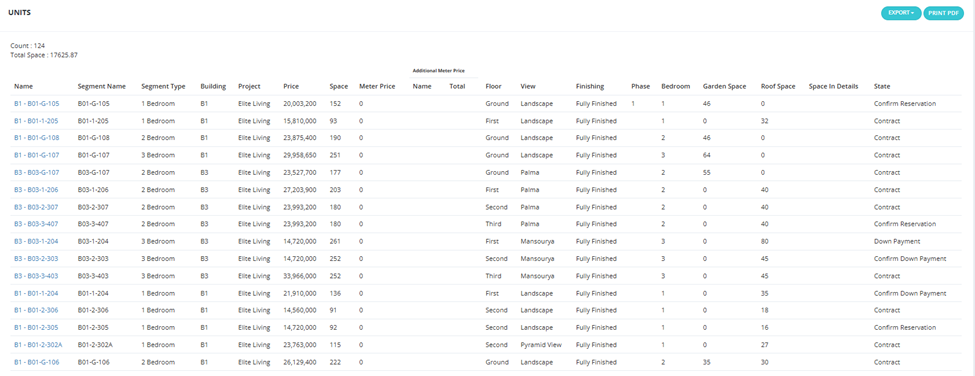
The Units Table shows the same units as the Units tab but in a table/list format instead of cards. Useful for quick scanning, sorting, and bulk operations.
Who Sees What
Same visibility rules as the Units tab:
- Salesmen see available units only.
- Operations / Management see all units including sold, held, and reserved.
Permissions controlling what each role sees are managed via Roles & Users settings.
Available Filters
Same as the Units tab:
Unit Name, Delivery Date, Position, Bedroom, Type, Unit Code, View, Finishing, Project, Floor, Building, Building Segments, Project Type, Status, Salesman, Phase, Unit Delivery Date, Space, Price, Meter Price, Bathroom, State.
Sort Options
Sort units by: Building, Segments, Project Type, Status, Salesman, Phase, Unit Delivery Date, Space, Price, Meter Price, Bathroom, State.