
User Logs
Overview
User Logs is a system-wide audit trail that tracks every action taken by every user in the CRM — who did what, when, and on which item. Accessible from Roles & Users → User Logs.
What You See
| Column | Description |
|---|---|
| Name | The user who performed the action. |
| Role | The role assigned to that user. |
| Action | The module or area where the action took place (e.g., users, roles, leads). |
| Info | A description of the specific action (e.g., "Admin visited users main page", "Admin Visit user edit page with name Sales Agent"). |
| Date | The date and time the action was recorded. |
| Item Name | The specific item that was acted on, if applicable (e.g., a user name, a lead name). Shown as N/A if not applicable. |
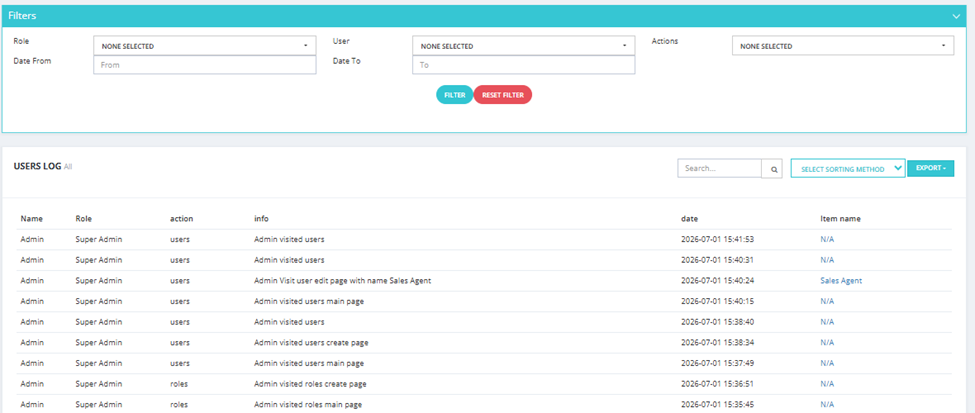
Available Filters
| Filter | Description |
|---|---|
| Role | Filter by the role of the user who performed the action. |
| User | Filter by a specific user. |
| Actions | Filter by action type. |
| Date From / Date To | Filter by date range. |
Available Actions
- Search — search across the log entries.
- Select Sorting Method — change the sort order of results.
- Export — export the log as a file.
💡 Use User Logs to audit system activity, investigate a specific action, or monitor what users are accessing and changing in the CRM.